
Copy protection
Divi Copy Protection Lite helps discourage casual copying by disabling text selection and/or right-click on your website’s frontend. It’s perfect for photographers, designers, portfolio sites, agencies, and anyone sharing original content who wants an extra layer of protection with zero setup hassle. Enable the options you need, save, and you’re done.

ABOUT
Divi Copy Protection Lite is a lightweight, Divi-friendly plugin designed to reduce “copy & paste” content theft by blocking text selection and the browser’s context menu on the frontend. It’s especially useful for creatives—photographers, artists, writers, coaches, and portfolio owners—who publish original work and want to make copying less convenient for visitors. The plugin is simple, fast, and easy to manage: toggle features from a dedicated settings page, with no trackers, no external dependencies, and compatibility with Divi 4 and Divi 5.
Features:
- Disable text selection on the frontend (CSS-based)
- Disable right-click context menu on the frontend (JavaScript-based)
- Simple settings page (enable/disable with one click)
- Lightweight and fast (no bloat, no external dependencies)
- Translation-ready (i18n)
- Divi 4 & Divi 5 compatible
- Privacy-friendly (no tracking, no data collection)
Use cases:
- Photographers protecting portfolio captions, pricing, and gallery text
- Designers/creatives showcasing case studies and project descriptions
- Agencies publishing original copy, service pages, and proposals
- Coaches/consultants sharing frameworks, guides, and premium content previews
- Bloggers and writers discouraging copy/paste of articles
- Course creators displaying lesson summaries or resource pages
- Any Divi site owner who wants to reduce casual content copying
Live Demo — Copy protection
How to Use:
- Install and activate Divi Copy Protection Lite in WordPress (Plugins → Add New → Upload).
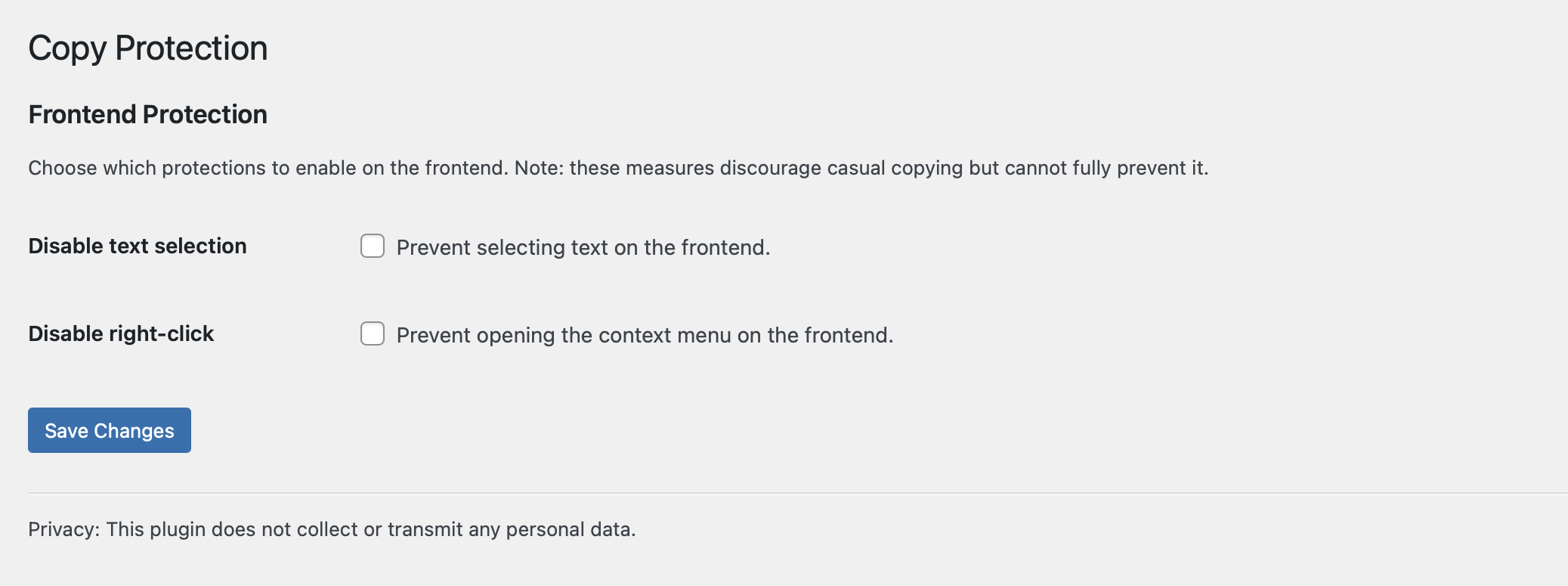
- Go to Settings → Copy Protection.
- Enable one or both options:
Disable text selection
Disable right-click - Click Save Changes.
- Visit the frontend to confirm the protection is active.
Tip: These protections discourage casual copying but cannot fully prevent advanced copying methods (e.g., browser developer tools).
the live examples
Copy Protection is enabled on this demo (text selection + right-click disabled). Try to copy something to see it in action.