DIVI COPY BUTTONS
Add clean, accessible “Copy to Clipboard” buttons to Divi with simple shortcodes or a CSS class. Lightweight, customizable (including hover), and translation-ready.

ABOUT
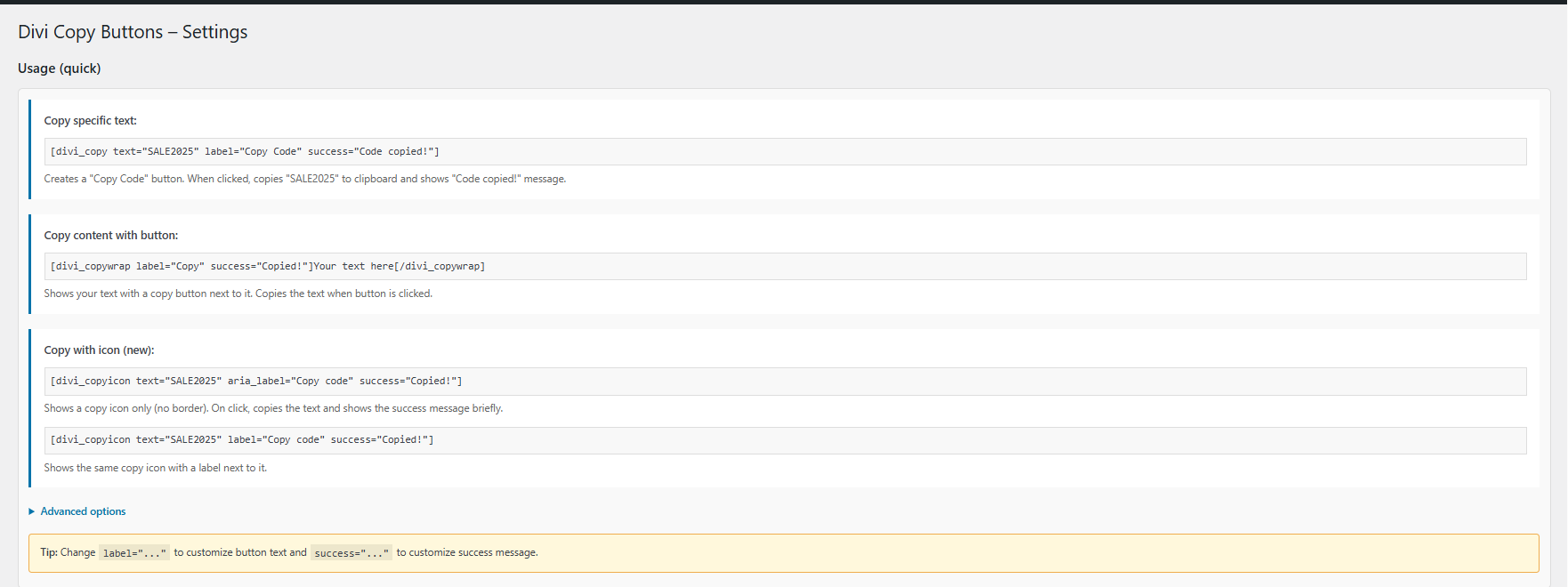
Divi Copy Buttons – Clipboard Helper lets you add “Copy to Clipboard” buttons anywhere in Divi (and any WordPress theme). Use a shortcode to copy a specific string or output content with an attached copy button. Advanced users can also copy text from page elements and apply text transformations. The plugin is lightweight, accessibility-minded, and loads assets only on pages where it’s used.
Works everywhere
Divi Builder, Gutenberg, or classic content. Assets load automatically when shortcodes are present, including in Divi Text modules.
Easy styling
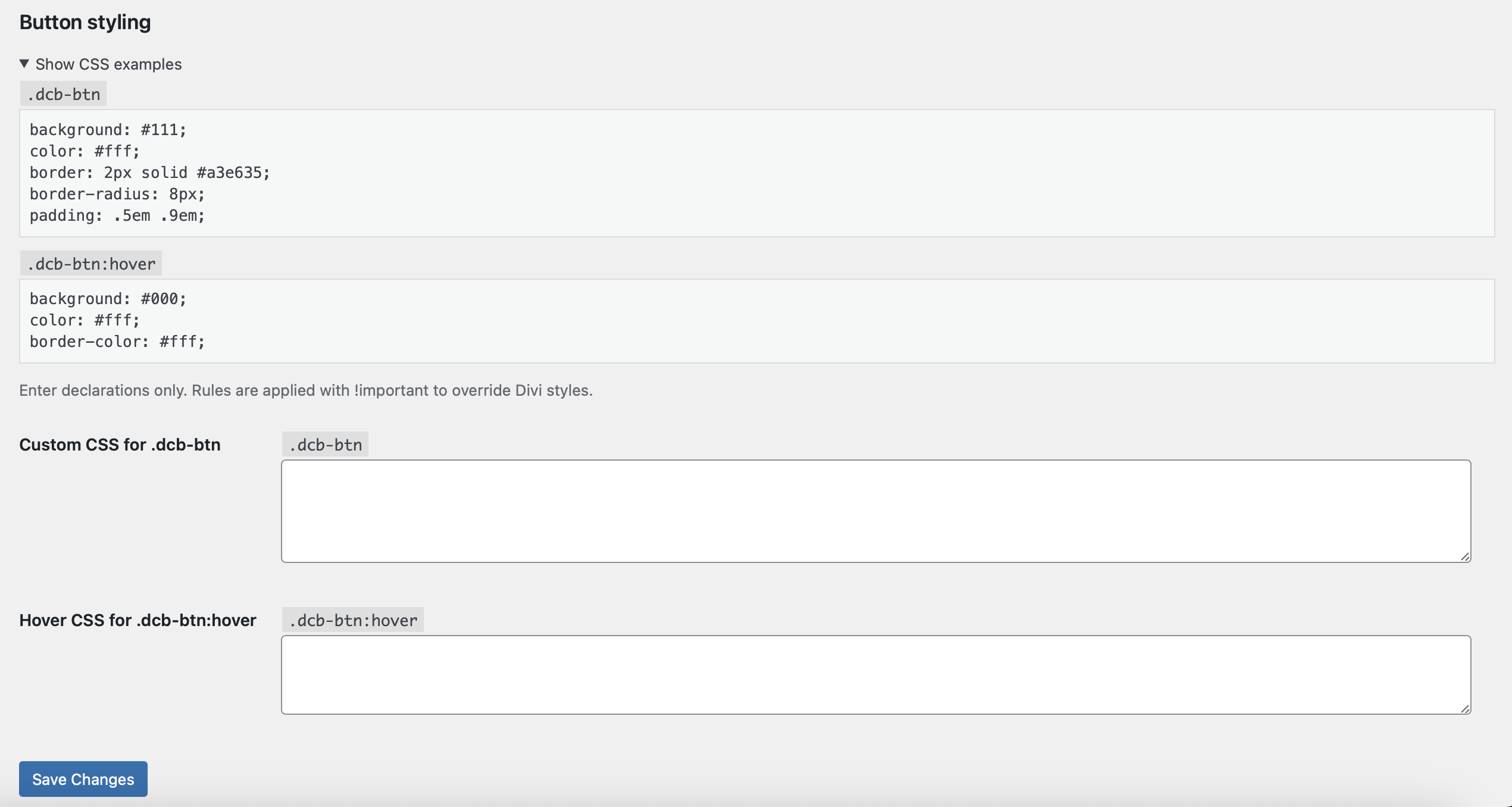
Settings page with two clean fields for custom CSS declarations for .dcb-btn and .dcb-btn:hover (no selectors needed). Your rules are scoped to the button.
Accessible by design
Live Demo — Divi copy buttons
Two main ways to use it:
- Copy a specific string
Perfect for coupon codes, short snippets, phone numbers, IBANs, etc. - Output content + a copy button for it
Wrap any text and automatically display a copy button next to it.
Also included (advanced options):
- Copy from page elements via selector (target=”#…”)
- Optional text formatting (format=”uppercase|lowercase|trim”)
- Custom styling via plugin settings (button CSS)
New (Icon copy):
Use a clean, borderless copy icon — icon-only or icon + label.
Open the live examples
- – copy a specific string.
2. 24%0&_863975*89689302-1876 – output content + a copy button for it.