Divi Schedule Timer

ABOUT
Divi Schedule Timer helps you present a clear “what’s on now” schedule that looks perfect in Divi — because you control the design.
• Built for Divi (Divi 4 & Divi 5), but works with any theme
• Unstyled by default, so you can create any layout in Divi (columns, cards, bars, and more)
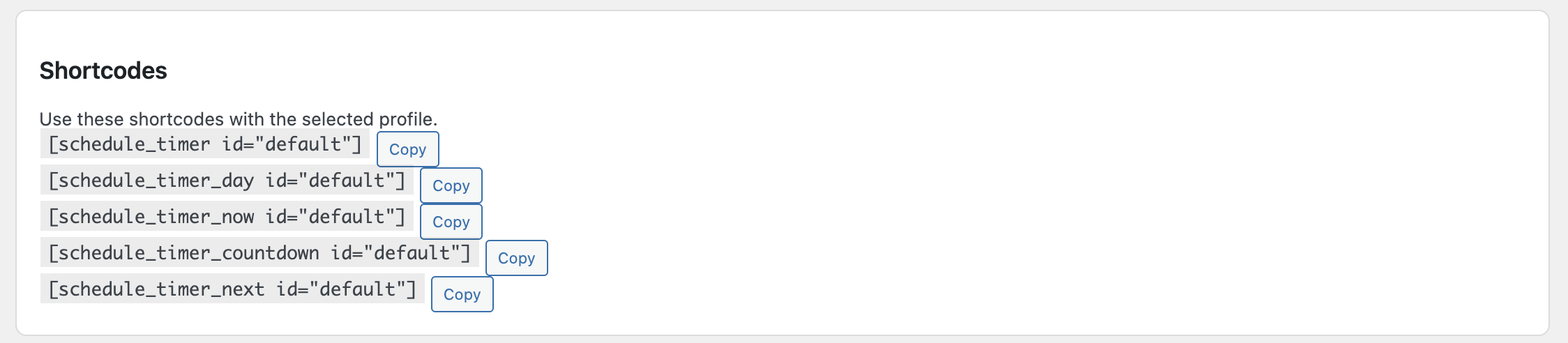
• Divi-friendly shortcodes: place each field into its own module
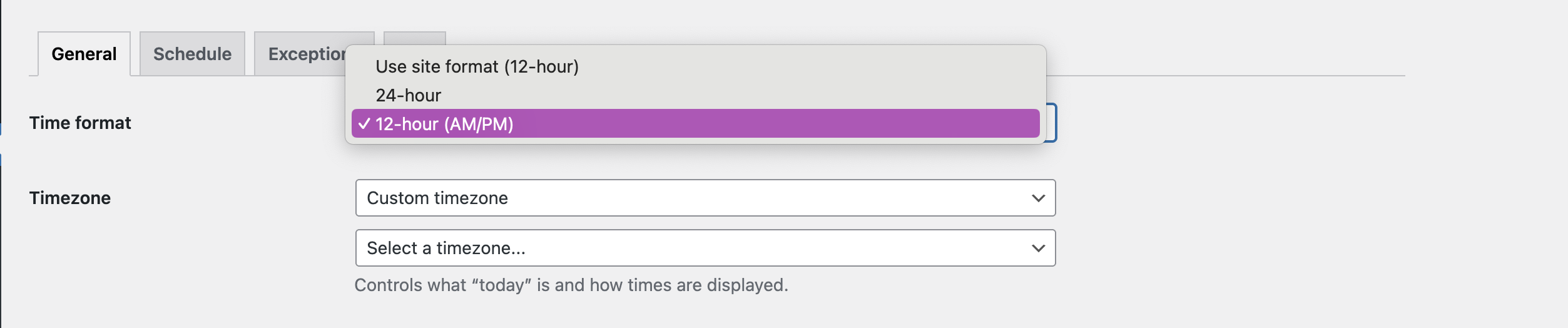
• Worldwide-ready: timezone support + 12/24-hour time formats
• Practical exceptions: excluded dates (holidays) and vacation ranges (season breaks)
• Rename statuses: change “Lesson/Break” to anything (Yoga/Session/Rest/Closed)
• Lightweight and safe: no tracking, no external services
• Visual Builder friendly
Switch the layout below to see different Divi designs using the same schedule data.
Live Demo — Divi Schedule Timer
How to Use:
-
Install and activate Divi Schedule Timer
(Plugins → Add New → Upload Plugin → Install → Activate) -
Go to Settings → Divi Schedule Timer and configure:
-
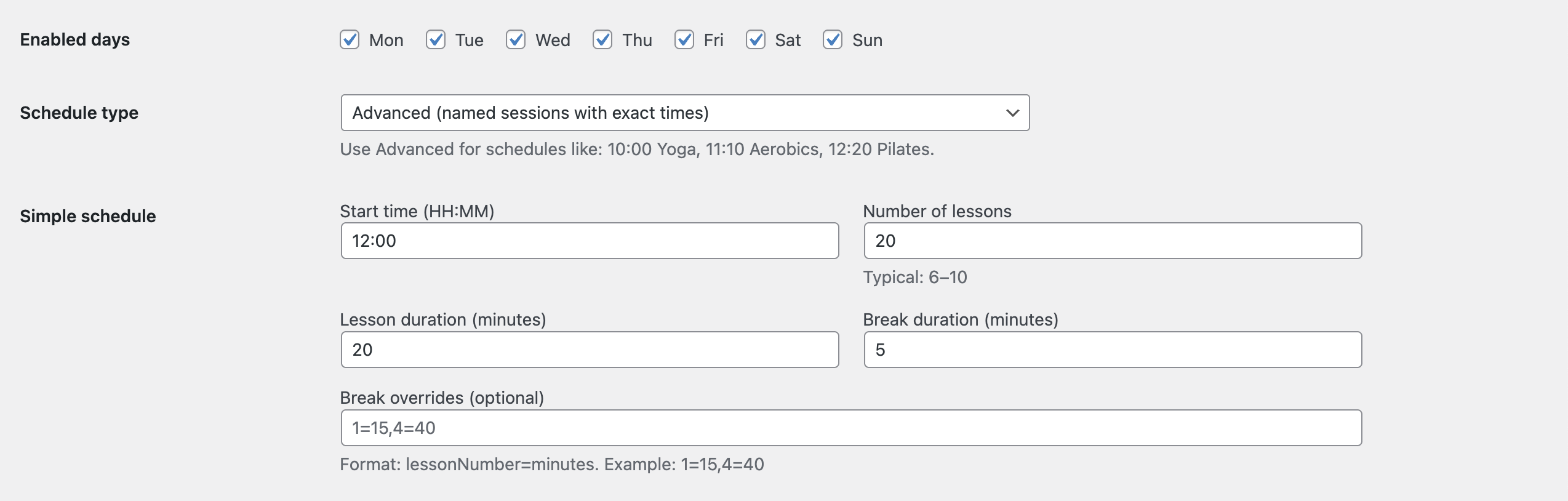
General: choose time format (24h/12h), timezone, rename statuses (optional)
-
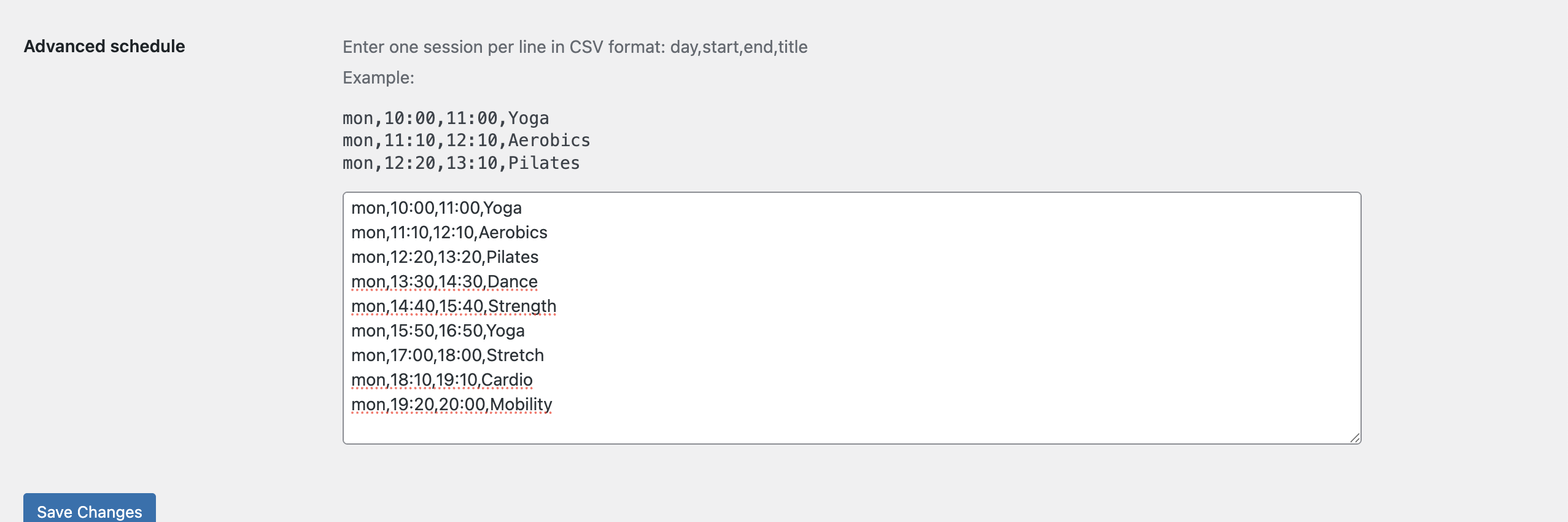
Schedule: set start time, lesson/session length, breaks, and enabled days
-
Exceptions: add excluded dates (holidays) and vacation ranges (season breaks)
-
-
Add the shortcodes to your Divi layout:
-
{schedule_timer_day}— Today (day name) -
{schedule_timer_now}— Now (Lesson / Break / Before / After / No classes) -
{schedule_timer_countdown}— Countdown to the next change -
{schedule_timer_next}— Next session start time (if any)
-
-
In Divi Builder, use a Text or Code module and paste the shortcodes where you want them to appear (e.g., a 4-column row).
-
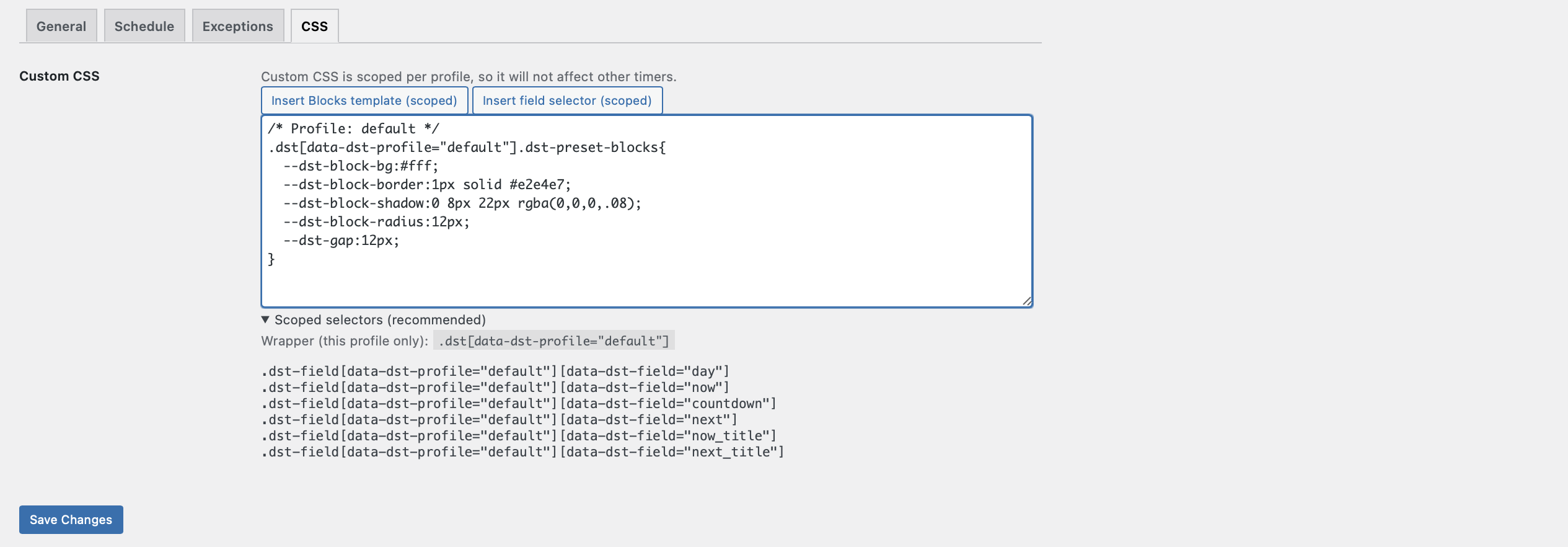
Style everything with Divi:
-
Change typography, spacing, borders, backgrounds, and layout
-
(Optional) use the plugin’s CSS tab for quick templates and helper selectors
-
the live examples

Divi-friendly shortcodes let you display the full timer or place each field into separate Divi modules — so you can build any layout you want.
Style everything in Divi: cards, columns, dashboards, minimal lines — the plugin only provides the live schedule data.